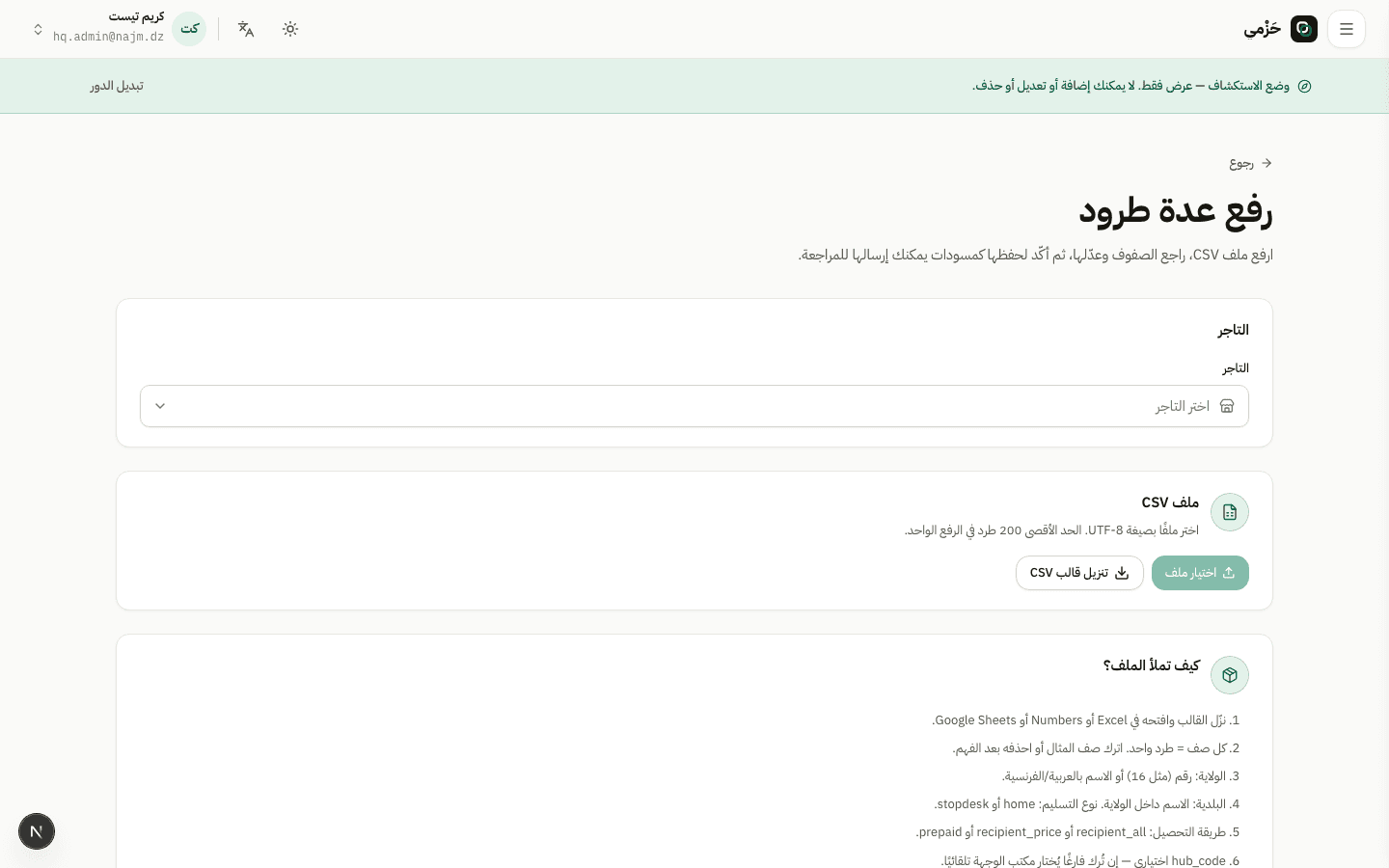
Open import
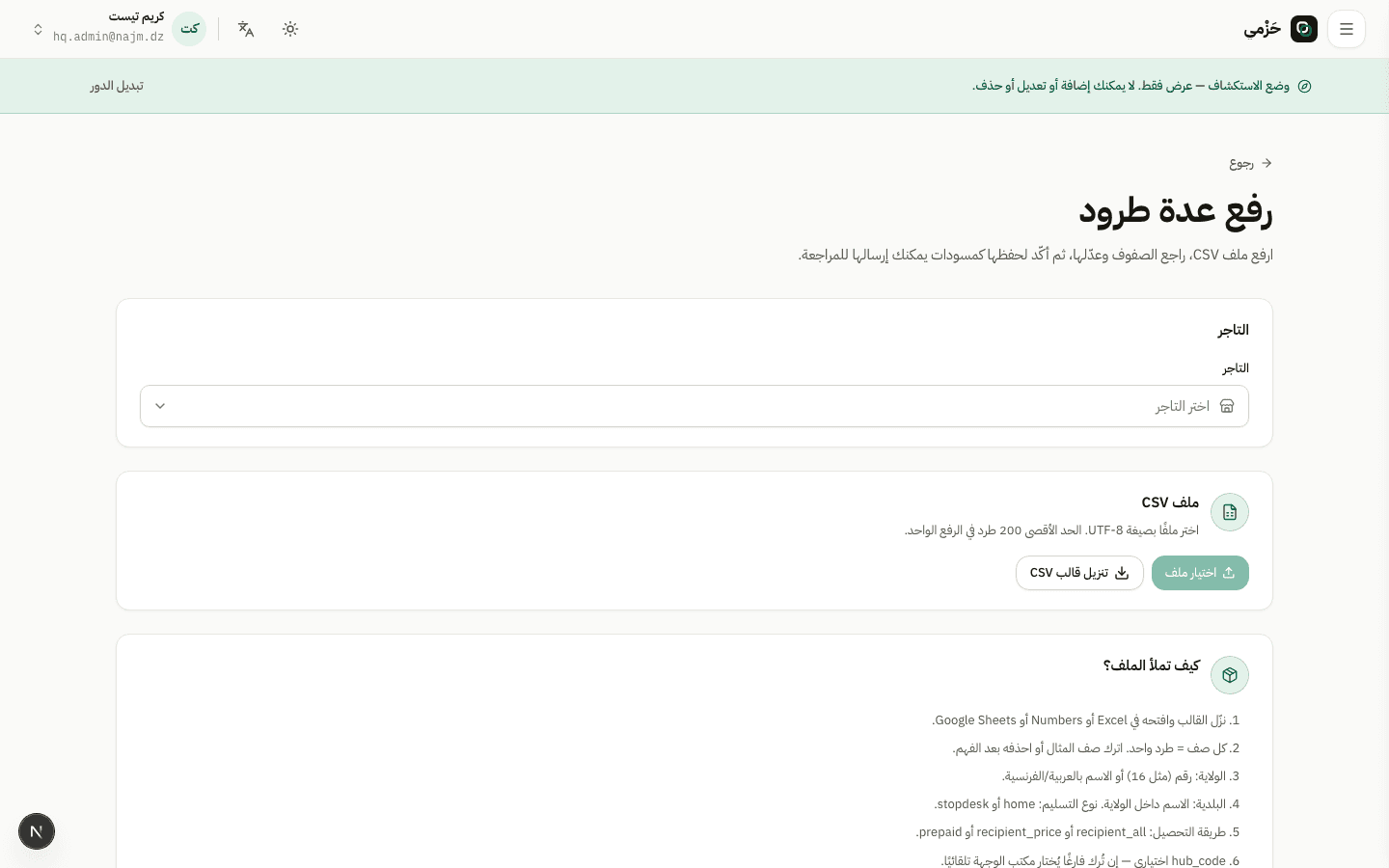
From the parcels list open parcel import. Download the official template from the page so columns match.
Add many parcels at once
ParcelsMerchant · HQ · Hub4 min read3 Steps
How to use the import page to create dozens of parcels from the official template.
From the parcels list open parcel import. Download the official template from the page so columns match.
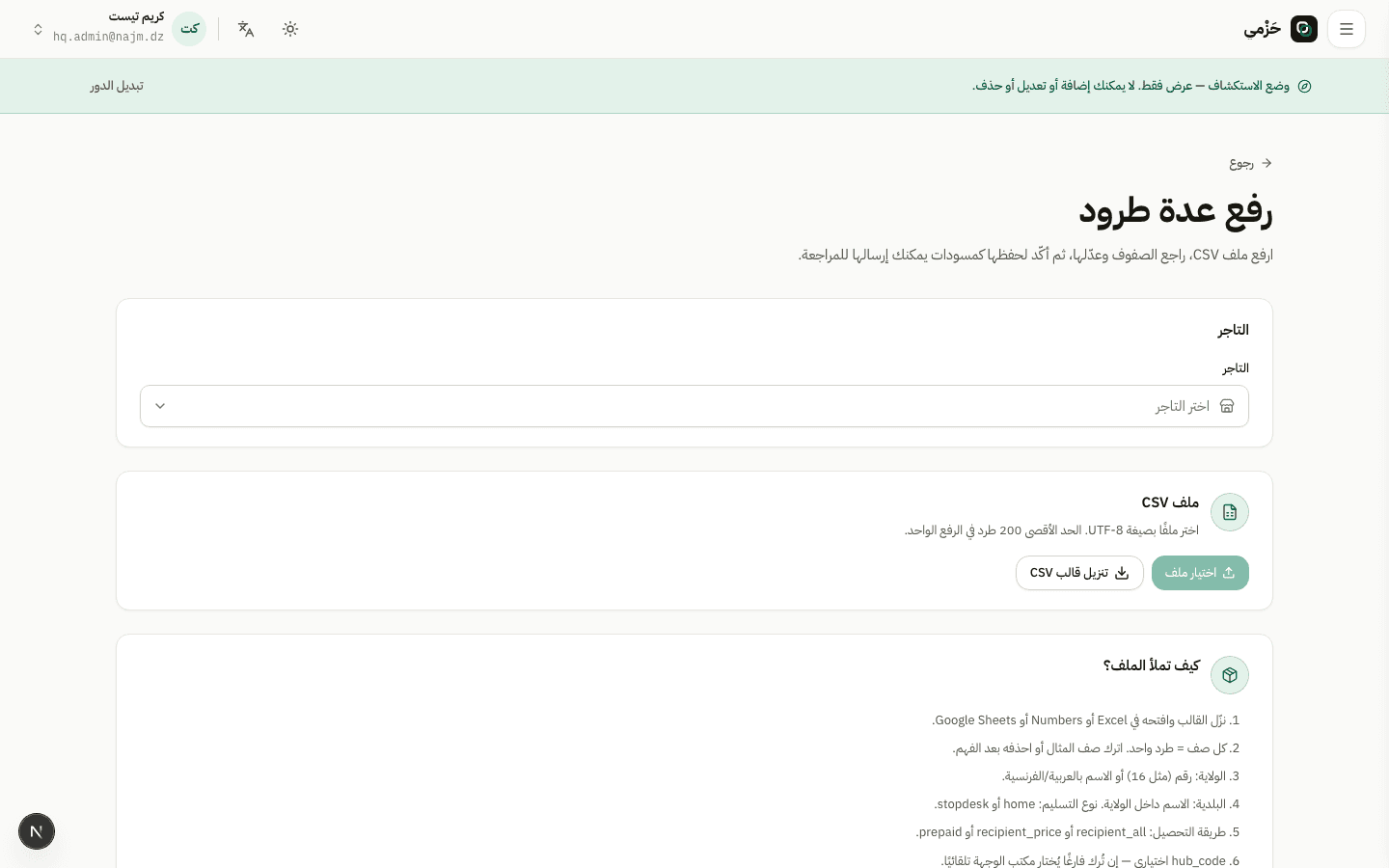
One row per parcel: recipient, phone, wilaya, commune, amount, delivery type. Save with the right encoding, then upload.
After upload you return to the parcels list with imported and failed counts.
Open imported parcels, fix any failed rows, then prepare the batch for pickup or printing as usual.