Back to guides

Admin16

Webhooks and the API

Hezmy

AdminMerchant · HQ4 min read3 Steps

Webhooks and the API

How to turn on real-time webhooks for your store, and how parcel status updates reach your systems as they happen.

Turn it on from merchant settings

From the Webhooks screen, enter your store's webhook URL and enable delivery. Your API token shows with only its last 4 characters visible — enough to verify it without exposing the full key.

Drop-in compatible with stores already wired to Ecomanager or similar tools.
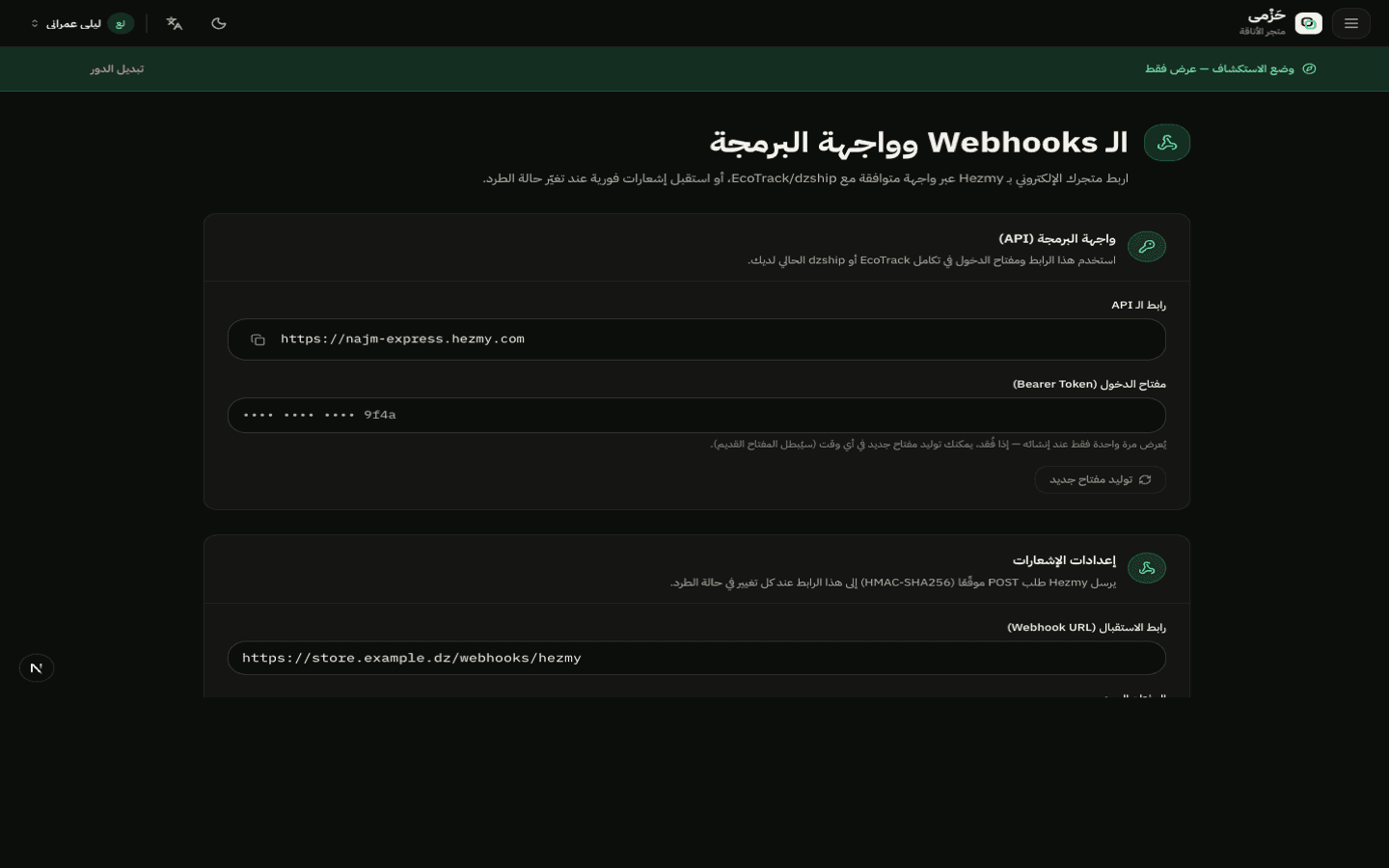
01Turn it on from merchant settings

Receive events the instant they happen

The moment a parcel is created or its status changes — picked up, out for delivery, delivered — a digitally signed (HMAC) notification reaches your URL in under a second, with no polling required.

02Receive events the instant they happen

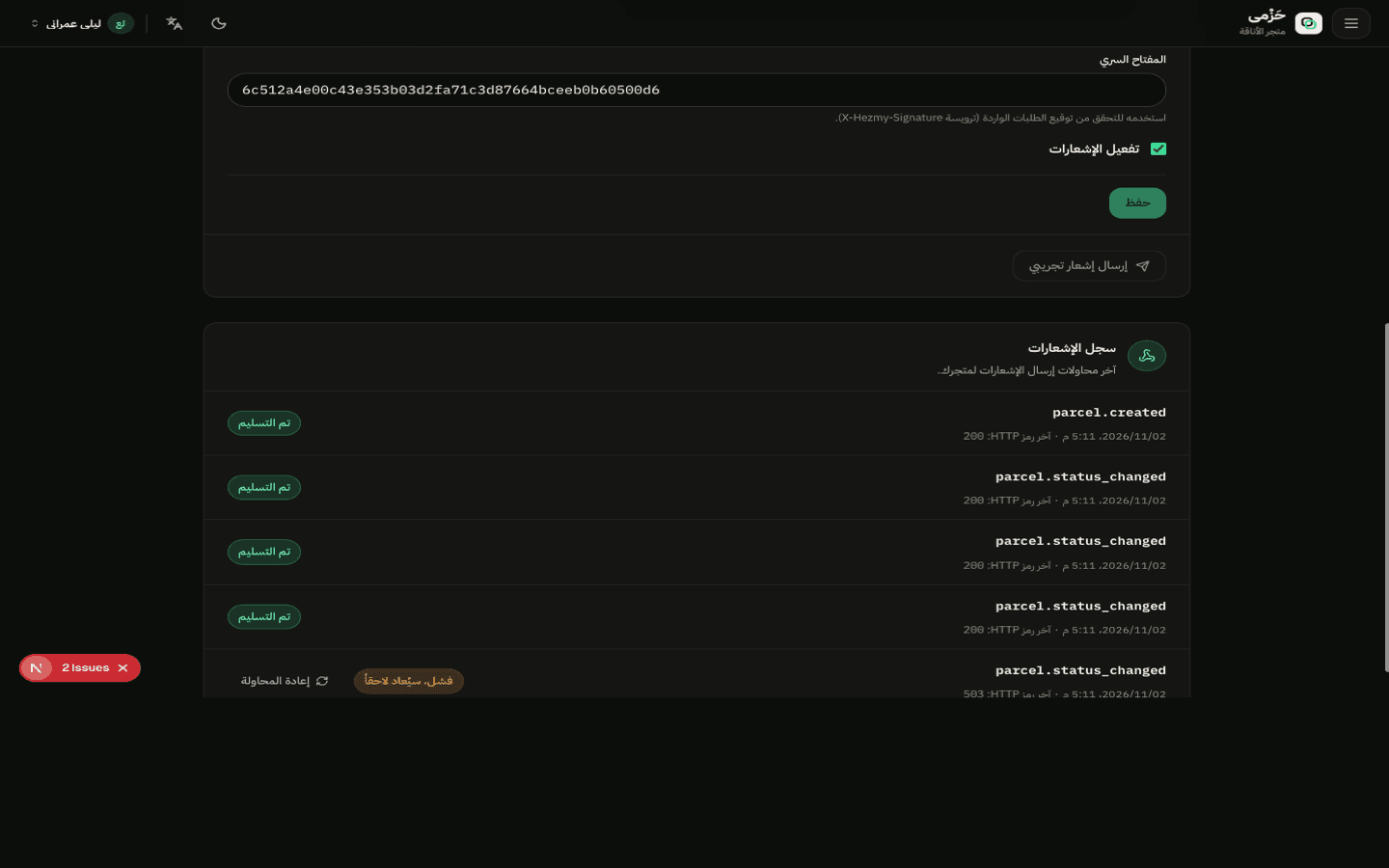
Track the log and retry failures

A full log of every notification sent, with its outcome (delivered or failed) and the response code. If one fails for any reason, the Retry button sends it again instantly.

Failed notifications are never lost — they stay in the log until they succeed.

All guides